17/01/2026
There are many Digital Audio Workstations, or DAW’s as we engineers like to call them, and each of them have their merits but Pro Tools has to be one of the most widely used in the professional audio industry with such big name studio’s like the famous Abbey Road using it. Personally I used to be a full time Logic Pro advocate since it’s early days as Emagic Logic and when it went over to Apple it went from strength to strength. Since the new studio has come along I have progressed to using Pro Tools more and more, not least of, due to the fact it works hand in hand with my glorious SSL AWS 900+. It is truly amazing to work with.
New DAW Blues
So what can go wrong when you change to a different DAW? Some say that if you know one you know them all but I beg to differ. It’s always a learning curve for sure but after a few weeks I got to grips with it. The biggest thing with PT is knowing the myriad of key commands that, when learned, help you become one of the famed Pro Tools Ninja’s. No mean feat. But, by far, the biggest hurdle to come across is those showstopper errors that stop you dead in your tracks mid session.
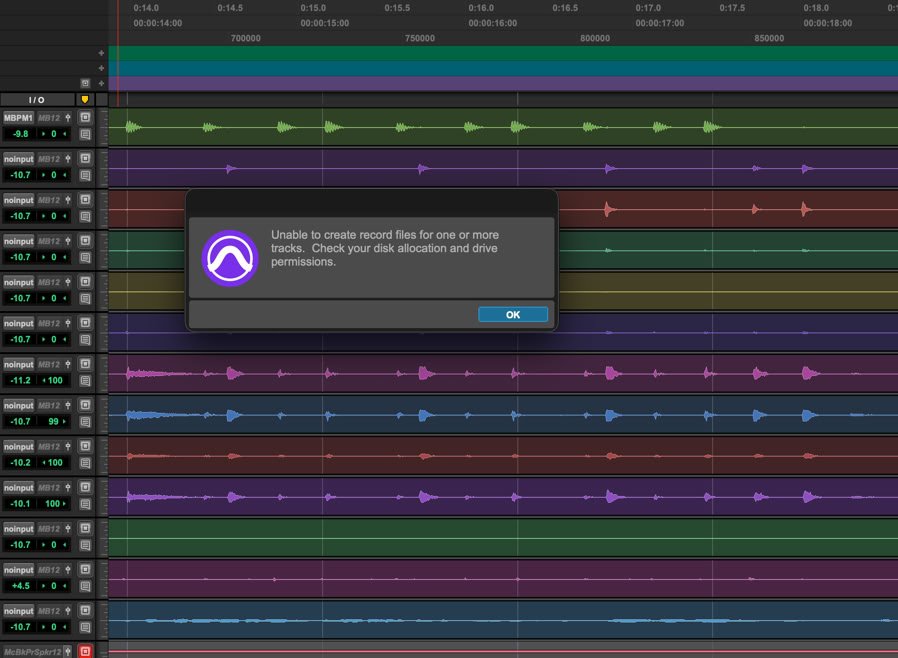
Unable To Record Files ….. Check Disk Allocation And Permissions
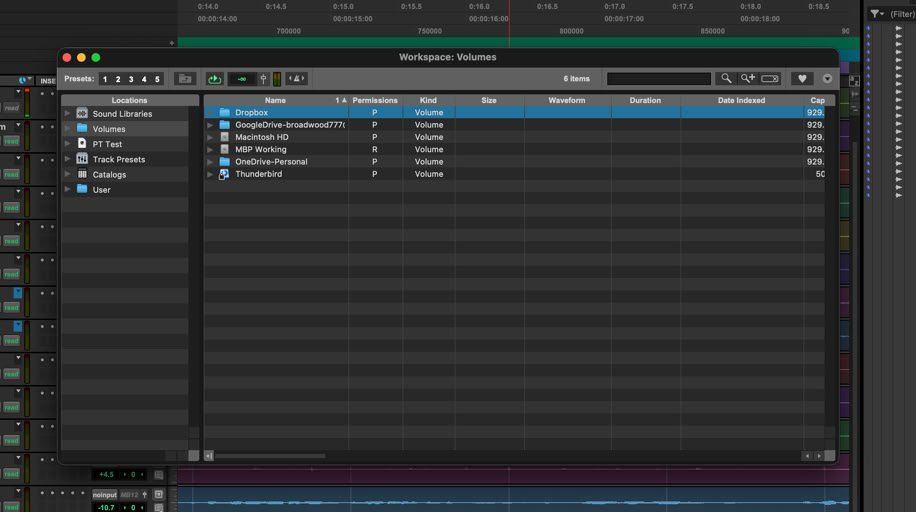
I was getting on very well with PT. Luckily the first time this error happened I wasn’t in a session. A quick look at google and I was soon checking my disk permissions in the workspace/default window. I definitely had my drive set for recording. All looked good in the disk allocation window as well. A reboot of the system seemed to clear everything. All good right?
Disaster Strikes
The next time it happened it was mid session. Went through all the checks as before, all good. Tried system reboot, still no joy. I also found another anomaly, the unable to record error only happened on stereo file recording and not mono files. Very strange. I realised that in the disk allocation window my working drive didn’t show in the right hand dropdown box. Further googling (amid disgruntled band members) showed that the possible cause could be due to external drives being plugged in. I do have a few external drives on my system so I ejected them all. PT worked straight away.
Problem Resolved
Well, sort of. I have no idea why it should only affect stereo file recording and not mono but if the issue arises again I am quite happy that removing any external drives seems to fix the problem. The pain for me is that my Mac Pro 2019 sees my extra SSD internal drive as external for some reason and that’s where I backup to. Once ejected I can continue. I hope this helps someone.
Nick Wood
Audio Engineer & Music Producer